
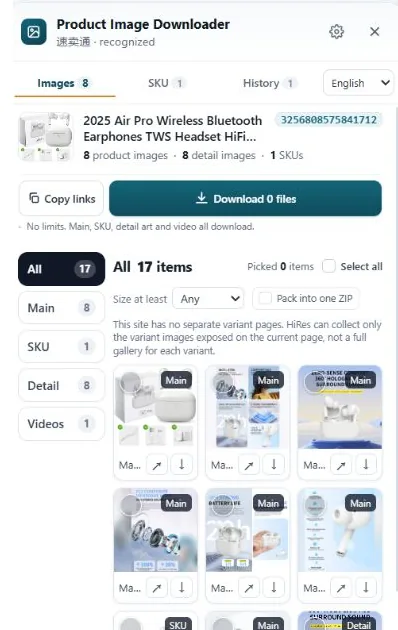
Yes, you can download images from JD.com with manual methods. Right-click saving works on many listings but often grabs a small display copy, and some pages block it. HiRes does not work on JD.com: JD is not one of the eight marketplaces it supports, so the methods below are the way to go.
The direct answer
Yes. You can save product images from JD.com, and it takes no special software. The catch is that the file you get is often a compressed display copy, and HiRes cannot help here because JD is not a supported marketplace. What follows is the manual route, with its limits stated plainly.
What is allowed, and what is not
Saving a photo and having the right to publish it are two different things. Downloading JD images for research, spec checks and supplier comparison is normal seller work. Reusing them in your own live listing without permission can get the listing taken down, and brand owners do file complaints.
JD photos belong to the seller or brand that created them. A factory photo shared in a supplier chat is still their photo unless they say otherwise in writing. If you plan to publish a photo, get permission first, or shoot your own.
The manual methods that work
Start with the simplest option. Right-click the main image and save it. On many JD listings this works and gives you a usable file. Check the size before you trust it: open the saved file and look at its dimensions. If it is under 800px on the long edge, it is a display copy, not the original.
Next, open the image in its own tab. Right-click and choose "Open image in new tab", then look at the URL. JD image URLs often carry a size code. If you see one, try removing it or raising the number, then reload. This sometimes returns the larger file the page keeps for zoom.
For detail images, scroll the page first. JD loads description images lazily, so photos below the fold do not exist in the page until you scroll past them. Scroll slowly to the bottom, wait a second, then go back and save what you need.
If right-click is blocked, open Chrome DevTools with F12, click the Network tab, filter by Img, and reload the page. Every image the page loads shows up as a row. Click a row, open its URL, and save the file. It takes a minute to learn and works on most pages.
Where people get stuck
Login walls are the biggest blocker. Some JD listings show fewer images, or smaller ones, until you sign in. A second problem is the app: the JD app makes saving awkward, and screenshots from a phone are low resolution and pick up the interface around the photo.
Watermarks are another trap. Some sellers stamp their shop name across the photo. There is no clean way to remove that, and you should not try: a watermarked photo is a sign the seller does not want it reused. Use it for reference only.
Finally, remember that JD compresses hard. Even the largest file you can pull may be softer than the original the seller uploaded. If you need print quality, ask the supplier for the original file. Most will send it if you are a real buyer.
What HiRes covers instead
HiRes is a Chrome extension that works on eight marketplaces: Amazon, AliExpress, eBay, TikTok Shop, Temu, Etsy, Lazada and Walmart. JD is not among them, so the panel will not appear on a JD page. If you also source from Amazon or AliExpress, that is where HiRes saves you time: open the product page, click the HiRes button, and the panel groups the gallery, variant and detail images the page exposes. Individual downloads are free, with no account needed, and everything runs locally in your browser.
A note on reusing images. Pulling photos for research, spec checks and supplier comparison is normal seller work. Publishing someone else's photos in your own listing is a different matter: the rights sit with the brand or photographer. Get permission or shoot your own for anything customer-facing.
Questions people ask
Does HiRes work on JD.com?
No. HiRes supports Amazon, AliExpress, eBay, TikTok Shop, Temu, Etsy, Lazada and Walmart. JD.com is not among them, so you need the manual methods in this guide for JD listings.
What is the best manual way to save a JD product image?
Open the image in its own tab and save it from there, after scrolling the page so lazy-loaded images have actually loaded. Check the saved file's dimensions: if it is small, try editing the size code in the image URL or use the Network tab in DevTools.
Can I reuse JD product images in my own store?
Not without permission. The photos belong to the seller or brand that created them. Downloading them for research and spec checks is normal, but publishing them in a live listing can lead to a takedown. Get written permission or shoot your own photos.
Skip the right-click routine
HiRes works on Amazon, AliExpress, eBay, TikTok Shop, Temu, Etsy, Lazada and Walmart. Free for individual downloads, no account needed.
Get HiRes for Chrome