
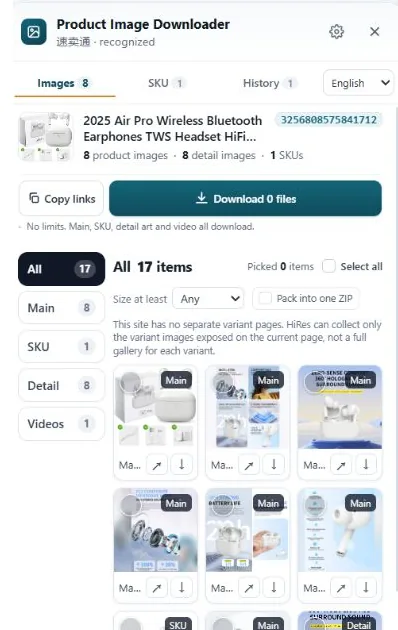
SHEIN serves a mid-size copy of each photo on the product page, so right-click usually saves a smaller file than the original. Opening the image in its own tab and saving from there gets you closer to full size. HiRes does not work on SHEIN, so the manual methods below are the way to do it.
Why SHEIN photos save small
SHEIN product pages are built for speed on phones. Each photo you see is a compressed display copy, often around 800px or less on the long edge, even when the seller uploaded something bigger. Right-click saves that copy, not the original. The page also lazy-loads images, so photos further down the gallery do not exist in the page until you scroll to them.
SHEIN images are usually served as WebP files. That is a modern format with good compression, and most editors open it fine, but some older tools do not. If your editor refuses the file, convert it to JPEG with a free converter, or open it in your browser and save it again from there.
Method 1: right-click, then check the size
Right-click the photo and save it. Then check what you actually got: open the file and look at its dimensions. If it is 800px or wider, it may be good enough for reference work, spec sheets and mood boards. If it is 400px, it is a thumbnail and you need a better method.
Scroll the gallery first and click through every photo. SHEIN loads each gallery image as you reach it, and the detail photos at the bottom of the page only load after you scroll past them. Save each one as you go, and name the files as you save them, because SHEIN file names are strings of numbers that tell you nothing later.
Method 2: open the image in its own tab
Right-click the photo and choose "Open image in new tab". The address bar now shows the real file URL, and SHEIN URLs often carry a size marker. If you see one, try changing it to a larger value or removing it, then press Enter. The server will serve the biggest version it holds for that photo, which is often noticeably sharper than the display copy.
This works best on desktop Chrome. On the SHEIN app, saving is blocked and screenshots are the only fallback, which brings us to the next method. One honest limit: if the seller only uploaded a mid-size original, no URL trick will make it bigger. SHEIN suppliers often shoot on phones, so mid-size originals are common.
Method 3: screenshots and the phone app
When the site will not give you the file, a screenshot still works. On Windows, press Win + Shift + S and drag a box around the photo. On a phone, use the system screenshot buttons, then crop out the interface in your Photos app. Zoom the page in before you capture, because a screenshot can only be as sharp as what is on screen.
Screenshots are a fallback, not a first choice. They cap out at your screen resolution, they pick up compression from the display, and they are slow if you need twenty photos. Use them for one or two reference shots, and use the tab method for the rest.
What HiRes covers instead
HiRes does not work on SHEIN. It is a Chrome extension for eight marketplaces: Amazon, AliExpress, eBay, TikTok Shop, Temu, Etsy, Lazada and Walmart. If you also source from those stores, HiRes pulls the gallery, variant and detail images from the product page into one panel, with individual downloads free and no account needed. For SHEIN itself, the manual methods above are the only route, and they work well enough for reference and research.
A note on reusing images. SHEIN photos belong to the seller or brand that made them. Downloading them to study a cut, a colour or a fabric is normal research. Publishing them in your own listing without permission can get the listing removed. Get written permission, or shoot your own version.
Questions people ask
Does HiRes work on SHEIN?
No. HiRes supports Amazon, AliExpress, eBay, TikTok Shop, Temu, Etsy, Lazada and Walmart. SHEIN is not among them, so use the manual methods in this guide for SHEIN photos.
Why are SHEIN images saved as WebP?
SHEIN serves photos in WebP because the files are smaller and load faster on phones. Most modern editors open WebP without trouble. If yours does not, convert the file to JPEG with a free converter before you edit it.
How do I get the full-size SHEIN image?
Open the image in its own tab from the product page, then save it from there. If the URL carries a size marker, try raising it or removing it and reload. Scroll the page first so lazy-loaded photos have actually loaded.
Can I reuse SHEIN photos in my own store?
Not without permission. The photos belong to the seller or brand that created them. Use downloads for research, spec checks and comparison, and get written permission or shoot your own photos for anything customer-facing.
Skip the right-click routine
HiRes works on Amazon, AliExpress, eBay, TikTok Shop, Temu, Etsy, Lazada and Walmart. Free for individual downloads, no account needed.
Get HiRes for Chrome