
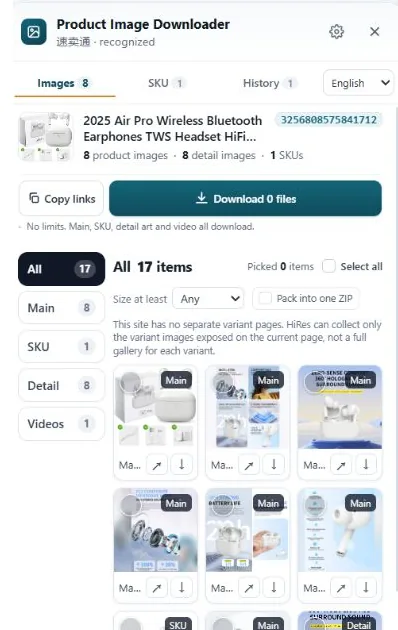
1688 stores several sizes of every product photo, and the gallery shows a small one. Open the image in a new tab and trim the size suffix off the end of its URL, and the server usually returns the largest version it holds. SKU photos and the long detail stack need the same trick, one group at a time. HiRes does not work on 1688 yet, so this whole guide is manual.
Why the saved image is so small
1688 is a wholesale marketplace, and its pages are built for fast browsing across thousands of listings. Every photo a supplier uploads gets copied into a stack of sizes. The listing page loads a small display copy, a few hundred pixels wide, because that is all a grid of search results needs. When you right-click and save, your browser saves the copy it is currently showing.
The size is written into the image URL itself. Open a 1688 product image in a new tab and look at the file name: you will often see a suffix near the end, something like _80x80.jpg, _400x400.jpg or _720x720.jpg. That suffix is the size instruction. Change it, and the server hands back a different size of the same photo.
One honest caveat before you start: this can only give you what the supplier uploaded. If the factory supplied a 750px original, the "full size" is 750px and no URL trick changes that. Plenty of 1688 listings top out there, because suppliers shoot on phones and upload straight from them.
Method 1: trim the size suffix from the URL
This is the quickest fix for a single image:
- On the product page, right-click the main image and open it in a new tab.
- Look at the URL. Find the size segment near the end, for example
.jpg_400x400.jpgor a trailing_720x720. - Delete the size segment so the URL ends with a plain image extension, then press Enter. The server usually returns the largest version it holds.
- Save the image from that tab, and check its pixel size before you trust it. A file that still measures 400px on its long edge did not take the hint.
The same trick works for the gallery thumbnails on the left of the page. Click each thumbnail, open it in a new tab, trim the suffix, save. Most listings carry 5 to 8 gallery photos, so this is a few minutes of clicking for one product.
Method 2: work through the SKU photos and the detail stack
A listing is not one photo. To collect everything manually you have to make the page show you everything:
- SKU photos. Click every color, size or style option. The gallery swaps to that option's own photo set, and some of those photos never appear under the default option. Suppliers often attach one photo per SKU, and it is the photo your buyer will compare against the real item.
- Detail images. The long stack further down the page, measurements, fabric close-ups, packing shots, is a separate set of files, not part of the gallery. These load lazily, so scroll the whole page slowly first, then right-click each image and trim its suffix the same way.
- Login walls. Some listings only show the full gallery, tiered prices and SKU photos to logged-in accounts. A 1688 account is free to create, and logging in usually restores the full gallery. A few suppliers still restrict images to approved buyers, and no URL trick gets past that.
For one listing, this is maybe fifteen minutes of clicking. For a sourcing session of twenty listings, it is an afternoon, and you will still miss a SKU set somewhere. That is the honest cost of doing 1688 by hand.
Why HiRes does not cover 1688 (yet)
Plain answer: HiRes works on eight marketplaces, Amazon, AliExpress, eBay, TikTok Shop, Temu, Etsy, Lazada and Walmart, and 1688 is not one of them. The 1688 page structure, its login gates and its image URL patterns are different enough that the panel cannot read the page reliably, and we would rather not ship a half-working panel than guess at your files.
What does work today: a paste-a-URL web tool such as ExtractPics renders the page in a real browser and returns the images as a ZIP, which covers 1688 listings that are visible without login. For listings behind a login, the manual method above is still the way. If 1688 support lands, this guide will say so.
A note on reusing images. Pulling photos for research, spec checks and supplier comparison is normal sourcing work. Publishing someone else's photos in your own listing is a different matter: the rights sit with the supplier or photographer. We wrote a separate guide on when supplier photos are safe to use and when they get listings removed. For 1688 in particular, ask the supplier for the original files and written permission in the same chat where you negotiate price, and keep that record.
Questions people ask
Why does right-click save such a small image on 1688?
The gallery shows a display copy, often a few hundred pixels wide, while the full-size file sits at a similar URL with a different size suffix. Right-click saves the copy the page is showing, not the original the supplier uploaded.
Can HiRes download images from 1688?
No. HiRes works on eight marketplaces, and 1688 is not one of them yet. The methods in this guide are manual: the size suffix in the image URL, the page source, and the browser's network panel.
Why do some 1688 listings ask me to log in before showing images?
Some suppliers and some product pages only show full galleries, prices and SKU photos to logged-in accounts. A 1688 account is free to create, and logging in usually restores the full gallery, though a few suppliers still restrict images to approved buyers.
Can I use 1688 product images in my own store?
Downloading a photo and having the right to publish it are two different things. Supplier photos belong to whoever created them. Sellers commonly download images for research, specs and comparison, but reusing them in a live listing without permission can get the listing taken down. Ask the supplier for written permission or shoot your own for anything customer-facing.
Skip the right-click routine on the marketplaces HiRes covers
HiRes gathers the gallery, variant and detail images from Amazon, AliExpress, eBay, TikTok Shop, Temu, Etsy, Lazada and Walmart pages, in one panel. Free for individual downloads, no account needed.
Get HiRes for Chrome