
DHgate product photos can be saved by hand, but HiRes does not work on DHgate. Right-click usually works on desktop web, and the image URL or page source covers the cases where it does not. Save photos for research and spec checks, and get permission before you publish them in your own listing.
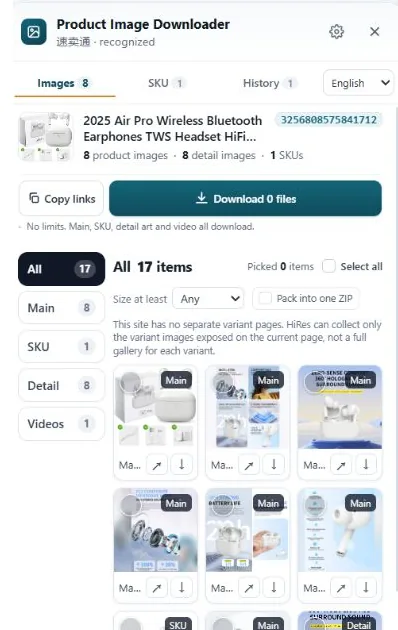
Yes, you can download images from DHgate. The manual methods work fine, and there is no one-click tool for it. HiRes does not support DHgate, so you will not see a HiRes panel on a DHgate product page. Everything below uses the browser you already have.
What you can and cannot do
Saving a photo and having the right to publish it are two different things. Downloading a DHgate photo for research is normal seller work: checking specs, comparing suppliers, building a shot list. Publishing that same photo in your own listing is a different matter, because it belongs to the supplier or brand that shot it.
Most sellers use DHgate photos to compare options and write a spec sheet, then shoot their own photos or get written permission for anything customer-facing. A takedown costs far more time than a reshoot.
Method 1: right-click on desktop web
This works for most DHgate gallery photos:
- Open the listing in Chrome on desktop, not in a phone app.
- Click the thumbnail you want so the main viewer shows the large version.
- Right-click the large image and choose Save Image As.
- Repeat for each thumbnail in the gallery.
- Click each variant or option, since the photos change per option and some only appear under one variant.
Two things to watch. Right-click saves the copy on screen, often a display size rather than the largest file. If the saved file looks small, use method 2. Some DHgate viewers also block the right-click menu on the enlarged image; close the viewer and right-click the gallery thumbnail instead.
Method 2: open the image URL and trim it
When right-click gives you a small file, the image URL usually holds a bigger one:
- Right-click the product image and choose Open Image in New Tab.
- Look at the URL in the address bar. DHgate image URLs often carry a size segment or a suffix near the end.
- Trim the size segment out of the URL, or raise the number in it, then press Enter and see what loads.
- Save the image from that tab once the larger version appears.
Size codes vary, and not every image has one. If trimming the URL changes nothing, the file you already have is the largest version the seller uploaded.
Method 3: page source for the stubborn ones
When the gallery viewer blocks both methods above, the page source still lists the image files:
- On the product page, right-click an empty area and choose View Page Source.
- Press Ctrl+F and search for .jpg, then for .png.
- Copy a promising image URL and paste it into a new tab.
- Save the file once it loads at full size.
The source lists dozens of URLs, including icons and banners, so pick the ones with product-sized dimensions. This is the fallback for listings where the viewer fights back, not the first thing to try.
What size will you actually get?
DHgate sellers upload a mix. Many gallery files land around 800 to 1000 pixels on the long side, and some go larger. Check the saved file before you rely on it: on Windows, right-click the file and open Properties; on a Mac, open Get Info. A photo that looks sharp inside the listing can still be too small for a zoom view on your own store.
A note on permission. A supplier sending you their photos in chat is not the same as permission to publish them. Ask in writing, keep the reply, and use the files for research until you have it.
Questions people ask
Does HiRes work on DHgate?
No. HiRes supports Amazon, AliExpress, eBay, TikTok Shop, Temu, Etsy, Lazada and Walmart. DHgate is not on that list, so there is no panel or one-click download for it. The manual methods in this guide are the way to save DHgate photos.
Why does right-click sometimes save a tiny image?
The gallery shows a display copy, often a few hundred pixels wide, and right-click saves the copy on screen. Open the image in its own tab first, or trim the size code from the URL, and you usually get a larger file.
Can I use DHgate photos in my own listing?
Not without permission. The photos belong to whoever created them, usually the supplier or the brand. Download them for research, specs and comparison. For a live listing, get written permission, or shoot your own photos. Reusing them without permission can get the listing taken down.
For the eight marketplaces HiRes does cover
HiRes gathers the gallery, variant and detail images from Amazon, AliExpress, eBay, TikTok Shop, Temu, Etsy, Lazada and Walmart pages in one panel. DHgate is not one of them, so this listing stays manual. Free for individual downloads, no account needed.
Get HiRes for Chrome