
TikTok Shop expects clean, square product photos. At the time of writing, the main image should be at least 800 pixels on each side, with the product filling most of the frame and no text, logos, watermarks or borders on it. Square 1:1 works best across the feed and the product page. Confirm the current numbers in Seller Center before you upload, because the platform changes its rules without much warning.
The main image carries the listing
The first photo is the listing. It shows up in the feed, in search, and at the top of the product page, and shoppers decide in about a second whether to tap. A shot that works on a plain white background in your camera roll can still fail here if the product sits small in the frame or the crop cuts off an edge.
Aim for square, 1:1. TikTok Shop crops other ratios to fit its tiles, and a tall photo loses its top and bottom before anyone sees it. Put the product in the center, fill at least 70 to 80 percent of the frame, and keep the background plain. White or a light neutral reads best in the feed, and it keeps the focus on the item instead of the room behind it.
Keep the main image free of added text, price tags, logos, watermarks, borders and collages. TikTok Shop treats those as clutter on the main image, and they are the most common reason a listing gets flagged at review. Save your text, badges and feature callouts for the detail images further down the page, where they are allowed.
Sizes and formats, in one place
The numbers below are what sellers commonly work to at the time of writing. Treat them as a starting point, not a contract, and confirm them in Seller Center for your category and region before a big upload.
- Main image. Square 1:1, at least 800 by 800 pixels. 1200 by 1200 or larger is safer, because it keeps the zoom view sharp.
- Extra images. Same square ratio, same minimum. Up to 9 images per listing at the time of writing.
- Detail images. These can run taller, since they sit in the description stack. Keep any text readable on a phone screen.
- File format. JPEG or PNG. Keep each file reasonably small, a few megabytes at most, so uploads do not time out.
- Sharpness. A photo that looks fine at 800 pixels turns soft when a shopper zooms. Upload the largest clean file you have.
One practical rule: never upload the exact file you downloaded from a supplier chat. Check it at full size on your own phone first, and only then upload. A photo that looks sharp on a laptop can look soft on a phone screen, and the phone is where most TikTok Shop buyers see it.
Video covers count as photos too
Most TikTok Shop listings carry a short video, and the video needs a cover image. That cover is what shows in the feed before anyone taps play, so it follows the same rules as a main image: a clear product shot, no added text, no watermark.
Pick the frame yourself instead of letting the platform grab one at random. A frame caught mid-motion often shows a hand or a blur. Scrub to a still moment where the whole product is in frame, and use that as the cover. If your video is vertical, the cover still needs to read at a small square size in search results, so keep the product centered.
The rejections sellers hit most
- Text, logos or watermarks on the main image.
- A photo below the minimum size, or one that turns blurry when zoomed.
- The wrong ratio, so the platform crops off part of the product.
- A lifestyle shot as the main image, with the product small and the scene doing the talking.
- A main image that does not match the variant a shopper picked.
When a listing is rejected, the notice usually names the problem in plain language. Fix that one thing and resubmit instead of re-uploading the whole set. Changing five photos at once makes it hard to tell which change fixed it.
Getting listing photos with HiRes
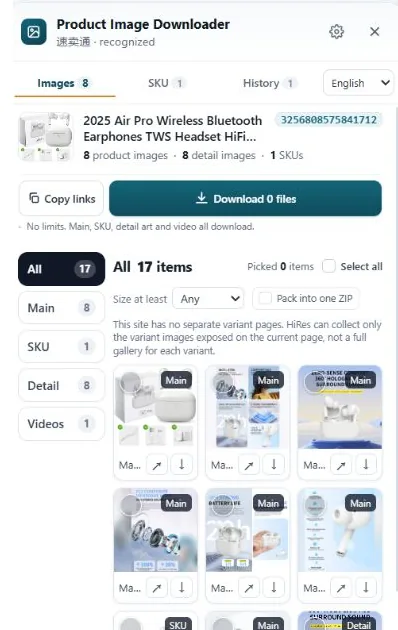
If you need the photos from a listing, for research or a spec check, HiRes works on TikTok Shop pages in Chrome on desktop. Open the listing in Chrome, click the HiRes button, and the panel groups the carousel images, the variant photos and the description images. Individual downloads are free, and a ZIP of the set is part of Pro, $19 once.
One limit to know: the TikTok app blocks saving, and screenshots from the app come out cropped and compressed. Use the desktop web shop for clean files. HiRes can only save what the page loads, so a listing behind a login prompt gives any tool less to work with.
A note on changing rules. TikTok Shop updates its image rules, size minimums and review checks without much warning, and different categories can carry extra rules. The numbers in this guide are correct at the time of writing. Before you shoot a full catalog, check Seller Center for the current version.
Questions people ask
What size should TikTok Shop product images be?
Square, at least 800 by 800 pixels at the time of writing, with 1200 by 1200 or larger recommended so the zoom view stays sharp. Keep the 1:1 ratio so the feed does not crop your photo. Confirm the current minimum in Seller Center, because the platform changes it.
Can the main image have text on it?
No. Keep the main image free of text, logos, watermarks, borders and collages. TikTok Shop flags those at review. Put badges, feature text and comparison charts in the detail images instead, where added text is allowed.
How many images can a TikTok Shop listing have?
At the time of writing, a listing accepts up to 9 images, plus a product video with a cover. Use the slots to show every angle and every variant, since shoppers cannot ask the photo a question.
Does HiRes work on TikTok Shop?
Yes, in Chrome on desktop. Open the listing on the TikTok Shop website, click the HiRes button, and the panel lists the carousel, variant and description images. Saving single files is free. The TikTok app blocks saving, so desktop web is the route for clean files.
Check the photos before you shoot your own
HiRes pulls the carousel, variant and description images from the TikTok Shop page you are already on, in one panel. Free for individual downloads, no account needed.
Get HiRes for Chrome