
Shrinking a photo keeps its quality, because you're throwing away pixels you have. Enlarging one invents pixels you don't have, and the result goes soft. Keep one untouched master copy of every image, resize down from that master to the size each marketplace asks for, and save photos as JPEG at a quality around 80 to 90.
The one rule: down is safe, up is invention
When you shrink an image, the software averages real pixels together. A 3000px photo squeezed to 1500px keeps its edges, texture and label text, because that detail was actually captured.
Going the other way is a different operation. Stretch a 600px image to 1600px and the software fills in roughly seven new pixels for every real one, guessing them from their neighbours. Edges smear, fabric texture turns to mush, and small print on packaging dissolves. The file gets bigger while the picture gets worse, and no setting fixes it: the detail was never in the file.
So a small original stays small. If a supplier's best file is 800px, an upscaled 2000px version fools nobody. It just makes buyers wait longer for a blurry picture.
Keep a master, and resize to each marketplace's target
The mistake that costs sellers the most quality isn't a bad setting. It's resizing a file that's already been resized. Every shrink and re-save lets JPEG compression eat a little more, and three generations of that makes a clean product shot look tired.
Keep a master folder with the originals exactly as they arrived, and never edit those. Make every marketplace version fresh from the master, at the size that marketplace rewards:
- Amazon. Zoom needs at least 1000px on the longest side; 1600 to 2000px or more is recommended, so resize big originals down into that window.
- eBay. 1600px gets you the zoom view. Much smaller and buyers can't inspect the details that close a sale.
- Etsy. Etsy recommends at least 2000px on the short side, more than most sellers expect.
- AliExpress. Squares do the work: 1000x1000 or larger, so zoom works and search results crop evenly.
These numbers hold at the time of writing, but confirm in your seller center before a big relisting run, since marketplaces adjust them. If your master is smaller than the target, upload it at its real size instead.
JPEG quality and format: the settings that matter
With dimensions right, the quality slider decides how much of the picture survives compression. The top of the scale is a trap: quality 100 produces files two or three times larger than quality 90, and nobody on a listing page can see what the extra weight bought. The working range for product photos is roughly 80 to 90, and 85 is a good working point inside it.
Drop below that range and the damage shows first on plain backgrounds, which product photos are full of: white and grey backdrops band into visible stripes, and faint halos appear around logos and label text. Lots of flat background in your shots? Stay closer to 90.
For format, JPEG is still the safe default for photographs: every marketplace accepts it. WebP gives a smaller file at the same visible quality, which helps on your own store. But some marketplace upload forms and listing tools still reject WebP, or quietly convert it, sometimes badly. Test one image before converting a whole catalogue.
Batch resizing a whole product set
One product usually means eight to fifteen images; a catalogue means hundreds. Resize them one at a time and settings drift: the first five go out at 1600px and quality 85, the rest at whatever the dialog box remembered last.
Pick one target size and one quality setting per marketplace, then run the whole set in a single pass with those numbers locked. Watch two things. Never stretch an image to fit a square: if the target is 1000x1000 and your photo is wide, crop it or pad it, because buyers spot a stretched photo instantly. And spot-check a few results at 100% zoom, especially images with text on the packaging.
Keep the folders boring: masters in one, resized copies in one per marketplace, so a changed size recommendation means a quick re-export, not a rescue job.
Doing it with HiRes
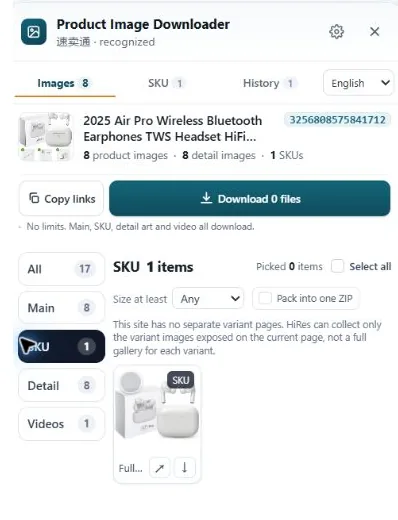
HiRes is a Chrome extension that pulls the images off product pages on Amazon, AliExpress, eBay, TikTok Shop, Temu, Etsy, Lazada and Walmart, and groups what the page exposes into main, variant and detail images. Individual downloads are free. Pro, $19 one-time, adds image resizing and JPEG quality controls, so files come out at the size and quality your listing needs.
The honest limit is the one this article started with: HiRes saves the largest version the page exposes, and resizing down from it works well, but a small original stays small. No setting anywhere turns it into a sharp 2000px image. Everything runs locally in your browser, too. Images go from the marketplace straight to your Downloads folder, never through us.
Questions people ask
What is the best JPEG quality setting for product images?
Somewhere between 80 and 90 for most product photos. Quality 100 makes the file much bigger for a difference you can't see on a listing page, and below about 75, plain backgrounds show banding and edges get fuzzy halos. One number to set and forget: 85.
Can resizing make a blurry product image sharp again?
No. Enlarging a small or blurry photo doesn't restore detail. It spreads the pixels you have over a bigger canvas and fills the gaps with guesses. A sharpening filter can make edges look crisper, but the fine detail a buyer zooms in for was never captured. Upload the image at its real size, or ask the supplier for a larger original.
Should I resize images before uploading them to Amazon?
Usually, yes, if your files are much bigger than Amazon needs. Amazon will resize and recompress uploads anyway, so doing it yourself first keeps the crop and the JPEG quality under your control. Aim for at least 1000px on the longest side so zoom works, and 1600 to 2000px if your originals are that big. Don't enlarge a small file to reach those numbers; that adds size without adding detail.
What size should I resize product images to?
It depends on where the listing lives. Amazon wants at least 1000px on the longest side for zoom, with 1600 to 2000px or more recommended. eBay's zoom view wants 1600px. Etsy recommends at least 2000px on the short side. AliExpress works best with squares of 1000x1000 or larger. Resize down from your master copy, and check your seller center, since marketplaces adjust these numbers.
Download it at the size you need
HiRes gathers the main, variant and detail images from the product page you're on, and Pro exports them at the size and JPEG quality your listing asks for. Free for individual downloads, no account needed.
Get HiRes for Chrome