
A 360-degree view is a set of still photos shot from different angles, played in order by a viewer on the page. There is no single 360-degree file to download. You can save the individual frames the page has actually loaded, by hand or with HiRes, and use the best angles as reference images. The viewer, the drag and the auto-spin stay behind.
How a 360-degree view actually works
A seller photographs the product on a turntable, or renders it, one shot every few degrees, so a typical spin holds 24, 36 or 72 frames. The page loads a viewer that swaps one frame for the next as you drag. What looks like a rotating object is a flipbook.
Most viewers load frames lazily. The first few frames arrive with the page so the spin starts fast, and the rest load only when you drag toward them. If you never turn the product all the way around, some angles may never reach your browser at all. That matters, because no method can save a frame that was never loaded.
Frame size varies too. Some sites serve the same resolution for every angle, while others keep bigger stills in the main gallery and serve smaller ones for the spin. Check the file sizes before you plan around them.
Method 1: drag through the spin and save frames by hand
The manual route is slow, but it shows you exactly what is available:
- Open the product page and find the 360-degree view. Drag it slowly through a full turn, then go around a second time so lazy frames get a chance to load.
- Pause on an angle you want. Right-click the image and save it, or open the image in a new tab and save from there.
- Repeat for each angle you need. Keep a note of which angles you already have, since the viewer does not label them.
Expect gaps. Dragging by hand lands on slightly different angles each time, so you may save the same angle twice and skip the one next to it. Some viewers also block right-click on the spin area, in which case you need the Network panel method below. Each save is one still frame. You are collecting photos, not the spin.
Method 2: pull the frame sequence from the Network panel
If the viewer blocks right-click, the browser tools can still show you the frames:
- Open DevTools with F12 and go to the Network tab. Type img in the filter box so only image requests show.
- Clear the log, then drag the spin through a full turn, slowly. Watch the new image requests appear.
- Look for a pattern in the file names. Frame sets often share a base name with a climbing number, like spin_01.jpg, spin_02.jpg, spin_03.jpg, or a folder with an angle in the name.
- Click a request to preview it, then open the full URL in a new tab and save the file. Work through the numbered set in order.
Two limits show up fast. First, a lazy viewer only fetches the frames you dragged past, so angles you skipped stay missing. Second, some sites serve frames through a script or a single packed file, leaving no neat numbered list to walk through. When the names give you nothing, go back to Method 1.
Watch the numbering. A set may skip numbers, or jump from 10 degrees to 30 degrees between frames. A gap usually means that angle was never served.
Doing it with HiRes instead
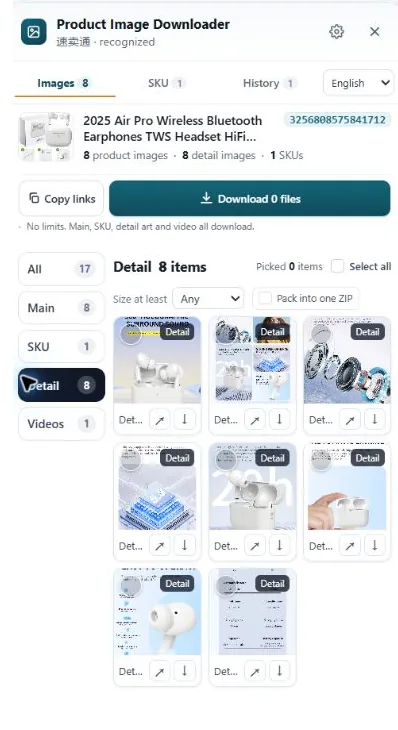
HiRes is a Chrome extension that lists the images a product page has actually loaded, grouped so you can pick through them. Open the page, click the HiRes button, and the panel shows what is there, including frames from a spin you have already dragged through. Save frames one by one for free, with no account needed, or package a bigger set as a ZIP. The ZIP option is in Pro, a $19 one-time purchase.
The same honest limit applies. HiRes can only save frames the page has loaded, so drag the spin through a full turn first and give the later angles a moment to arrive. It cannot download the spin as a single 360-degree file, because no such file exists on the page, and it cannot rebuild the viewer or the drag interaction. What you get is the set of still frames, saved to your Downloads folder. Everything runs locally in your browser, and the images are never uploaded anywhere.
What the frames are good for
A handful of good angles is plenty for most seller work. Pick the sharpest frames as reference photos for a spec, a supplier sample check, or a photo brief. A front, a back, a side and a detail shot usually tell you more than the full set of 36.
You can also stitch a few frames into a comparison sheet. If you want your own spinning view, that is a separate job: you need a 360 viewer tool that plays your saved frames in order. HiRes does not build that for you, and neither does any image downloader.
A note on reusing frames. Listing photos belong to whoever shot them, usually the brand or the supplier. Downloading frames for research, specs and comparison is normal seller work. Publishing them in your own listing without permission can get the listing taken down. Get permission in writing, or shoot your own.
Questions people ask
Can you download a 360-degree product image as one file?
No. A 360-degree view is a set of still frames played in order by a viewer on the page, not a single file. You can save the individual frames the page has loaded, but the spin itself, the drag and the auto-rotate stay on the page.
Why do some angles go missing when I save frames?
Most viewers load frames lazily, so an angle only downloads when you drag toward it. If you never turn the product all the way around, those frames never reach your browser, and no tool can save what was never loaded.
Can HiRes download the whole 360-degree spin?
HiRes can save the individual frames the page has loaded, one by one for free or as a ZIP with Pro, a $19 one-time purchase. It cannot download the spin as a single 360-degree file or rebuild the viewer, because the page never serves such a file. Drag the spin through a full turn first.
What can I do with the frames once I have them?
Use the best angles as reference images for specs, supplier checks and photo briefs, or stitch a few into a comparison sheet. If you want your own spinning view, you will need a separate 360 viewer tool that plays your saved frames in order.
Skip the right-click routine
HiRes gathers the gallery, variant and detail images from the Amazon page you are already on, in one panel. Free for individual downloads, no account needed.
Get HiRes for Chrome