
Yes. Lazada runs on Alibaba's platform, so its images behave like AliExpress ones: the page shows a compressed copy, and the seller's bigger file sits behind it at an address with a size suffix you can trim. The gallery, the per-option photos and the long description stack are all saveable. Do it on desktop, though. The app is where everyone browses, but the desktop site is where saving actually works.
Yes, you can download images from Lazada. Every photo on a product page is a file your browser already loads, and the version behind the compressed display copy is usually the full-size original the seller uploaded.
Saving them is easy. Using them is a separate question
Two different things get mixed up here. Technically, saving a Lazada photo takes seconds, and sellers do it all day for research, spec checks and price comparison. Nobody gets in trouble for a research folder.
The rights side is stricter. The photos belong to the seller or brand that uploaded them, and putting them in your own live listing without permission can draw an image complaint and a takedown, on Lazada or anywhere else you publish them. If a supplier sends you their photo pack and tells you to use it, keep that chat. Written permission you can point to later is worth more than a verbal yes you can't prove.
How to download them
- Open the listing on a computer. Lazada is app-first across Southeast Asia, but the desktop site shows the same photos and lets you save the real files. The regional storefronts (SG, MY, PH, TH, VN and ID) all run the same system, so this works the same way on each one.
- Scroll through the whole page once. The description is a long stack of images and they load as you scroll. Sections you skip may never load at full size.
- Click each color or size option you care about. Option photos only appear while that option is selected, and an option you never click may never load its set.
- Right-click a photo and open it in a new tab. Lazada image addresses often end in a size suffix, something like
.jpg_720x720q80.jpg. Delete the suffix, reload, and the same address usually returns the larger original. - Save from that tab, then work through the rest of the gallery and down the description stack.
It works. It's also slow. A listing with four options and a twenty-image description stack is thirty-odd files, each with its own tab and suffix to trim, and it's easy to miss an option set without noticing.
Doing it with HiRes
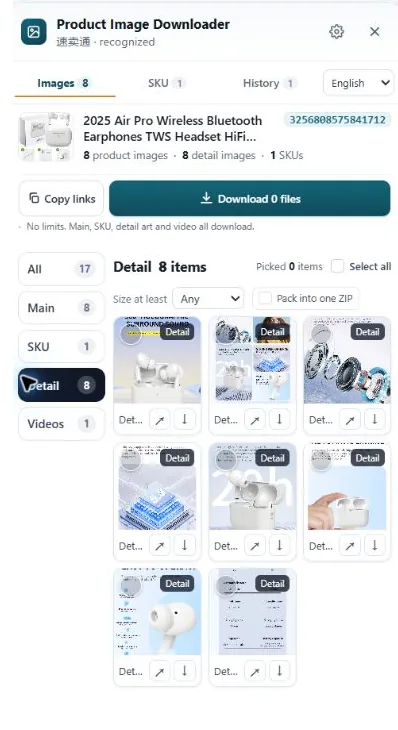
HiRes is a Chrome extension that works on Lazada product pages. Open the listing, scroll once so the page loads everything, then click the floating HiRes button. The panel groups what the page exposed: main gallery in one group, variant images with their option labels in another, detail images in a third. Save individual files for free, or package a selection as a ZIP with Pro ($19 one-time). Everything runs locally in your browser, so the files go straight to your Downloads folder and never pass through us.
The honest limits: HiRes can only save what the page in front of you has loaded. An option you never clicked may not have contributed its photos, the description stack needs that scroll, and a listing sitting behind a login prompt or a location check shows any tool less. And if the seller uploaded a small original, full size is small. That's the file that exists.
Questions people ask
Why do Lazada images save smaller than they look?
The gallery shows a resized display copy, served small so pages load fast on phones. Right-click saves that copy, not the original. The image address usually carries a size suffix, and the file behind it is the bigger one the seller uploaded. Trim the suffix off the URL, or collect the listing with a downloader, and you get the larger version.
Can I download Lazada images from the mobile app?
Not reliably. The app is built for browsing and buying, and saving there means a long-press that may grab the small display copy, or a screenshot. The same listing opened on the desktop site gives you the real files. Send yourself the link, open it in Chrome on a computer, and save from there.
Can I put Lazada product images in my own store?
Downloading them for research, specs and price checks is fine. Publishing them in your own listing is a rights question: the photos belong to the seller or brand that uploaded them, and reusing them without permission can draw a complaint and a takedown. Get permission in writing, or shoot your own for anything customers will see.
Skip the tab-by-tab routine
HiRes gathers the gallery, option and description images from the Lazada page you are already on, in one panel. Free for individual downloads, no account needed.
Get HiRes for Chrome