
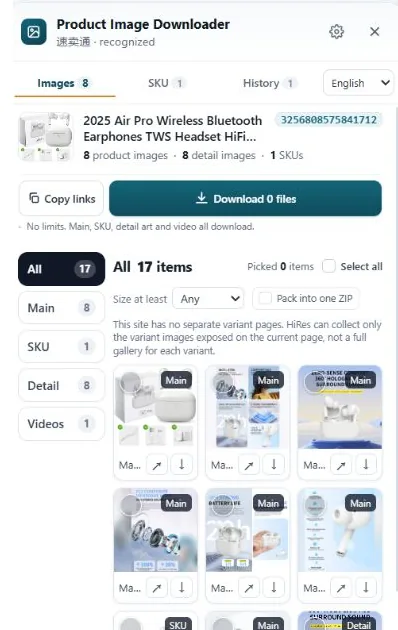
You can save Facebook Marketplace photos on desktop web with a right-click, but HiRes does not work on Marketplace, and the app blocks most saving. The files are compressed copies, often 960 pixels or smaller. Save them for research, and ask the seller for originals before you publish anything.
Yes, you can download images from Facebook Marketplace. On desktop web, right-click a listing photo and save it like any other web image. HiRes does not support Facebook Marketplace, so there is no panel for it, and the Facebook app makes saving harder still.
The desktop method, step by step
Do this in Chrome on a computer, not in the app:
- Open the Marketplace listing in a desktop browser. You may need to be logged in to see the full photo set.
- Click the main photo to open the photo viewer.
- Right-click the photo and choose Save Image As.
- Step through the rest of the photos with the arrows in the viewer, saving each one you need.
- Rename the files as you go. Facebook names them with long strings of numbers, and a folder of those is useless later.
If the right-click menu does not appear on the enlarged photo, close the viewer and right-click the thumbnail instead. The thumbnail saves a smaller copy, so use that only when the viewer refuses to cooperate.
Why the app makes this harder
The Facebook app has no save option for listing photos. Long-pressing a photo brings up sharing and reporting options, not a download. Most people fall back to screenshots, which come out cropped to the screen, compressed again, and stuck with whatever interface bits were showing.
The better route is to move the listing to desktop. In the app, tap Share, then Copy Link, and send that link to yourself. Open it in a desktop browser and save the photos there. It adds a minute, and the files are far better than screenshots.
What size will you actually get?
Facebook compresses every photo a seller uploads, and Marketplace photos are no exception. Saved files often land at 960 pixels on the long side or smaller, even when the seller shot them on a good phone. That is fine for reference: checking condition, reading a label, comparing two listings side by side.
It is not fine for reuse. A 960 pixel file turns soft the moment you crop it or show it at listing size elsewhere. Check the dimensions of each saved file before you plan around it. On Windows, right-click the file and open Properties; on a Mac, open Get Info. If you need a bigger file, only the seller has it.
Rights, privacy, and asking the seller
Marketplace photos belong to the seller who took them. Saving a copy for your own research is one thing. Republishing it in your own listing is another, and it can get your listing removed. That holds even when the photo looks generic.
There is a privacy angle too. Marketplace photos often show homes, cars, kids' items and street views in the background. Treat every photo as someone's personal property, even when the listing is public. Do not share saved photos with other people or post them elsewhere.
If you bought the item and need its photos, ask the seller for the original files. A short message works: say you bought the item, ask if they can send the original photos, and explain what they are for. Get the yes in writing and keep it. If they say no, take your own once the item arrives. Your own shots will look better anyway, because you control the light and the background.
A note on personal photos. Marketplace listings often show homes, cars, kids' items and street views in the background. Treat every photo as someone's personal property, even when the listing is public. Our guide on whether downloading product images is legal covers the line between research and reuse.
Questions people ask
Does HiRes work on Facebook Marketplace?
No. HiRes supports Amazon, AliExpress, eBay, TikTok Shop, Temu, Etsy, Lazada and Walmart. Facebook Marketplace is not on that list, so there is no panel for it. The desktop right-click method in this guide is the way to save Marketplace photos.
Can I save Marketplace photos from the Facebook app?
Not directly. The app has no save option for listing photos, so most people take screenshots, which come out cropped and compressed. Copy the listing link from the app, open it in a desktop browser, and save the photos there instead.
Can I reuse a Marketplace photo in my own listing?
Only with the seller's permission. The photos belong to whoever took them, and reposting them can get your listing removed. If you bought the item, ask the seller for the original files in writing, or take your own once it arrives.
For the eight marketplaces HiRes does cover
HiRes gathers the gallery, variant and detail images from Amazon, AliExpress, eBay, TikTok Shop, Temu, Etsy, Lazada and Walmart in one panel. Facebook Marketplace is not one of them, so this listing stays manual. Free for individual downloads, no account needed.
Get HiRes for Chrome